What to include in a BEO
Use the BEO to capture the event-specific details that have been confirmed and the open items the team still needs to resolve. Typical sections include:
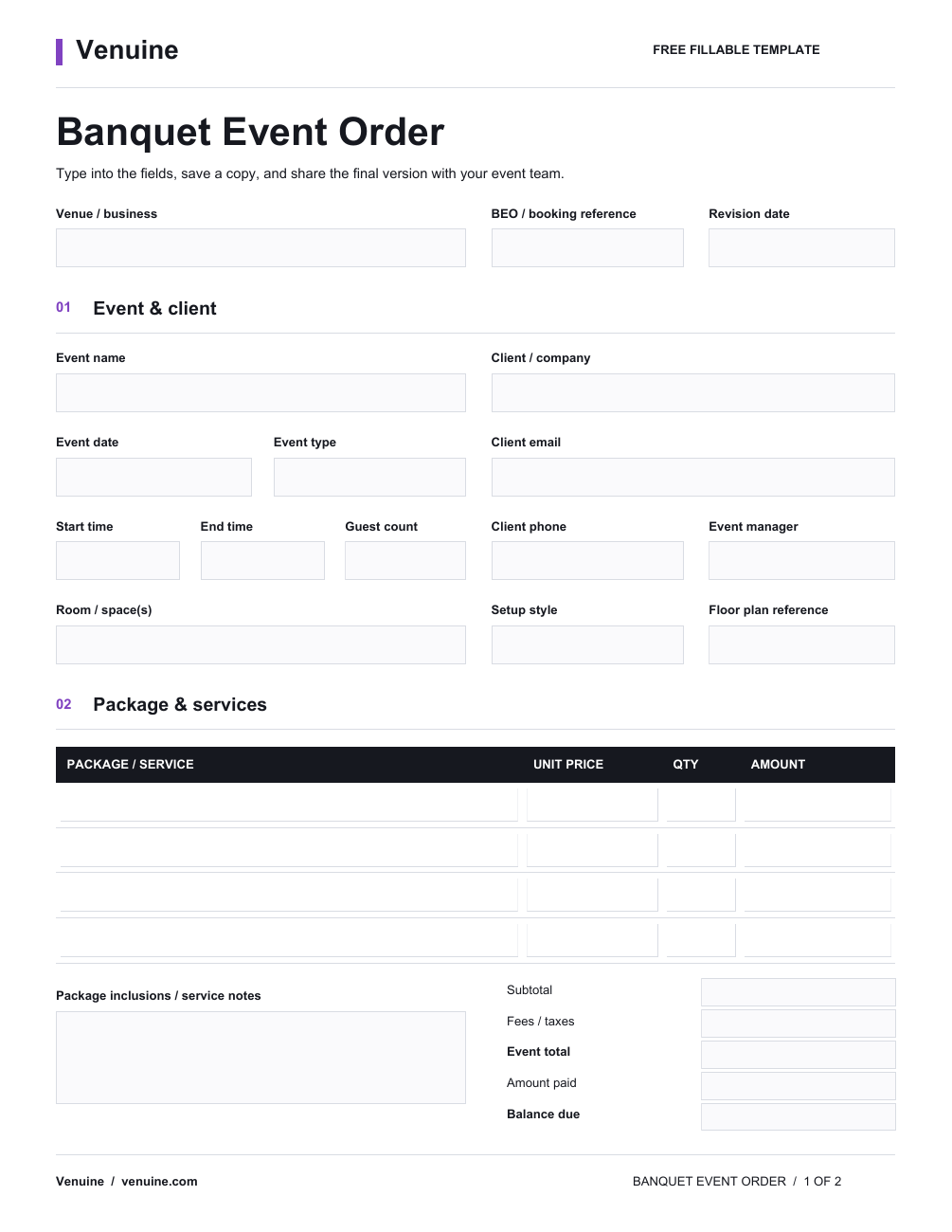
- Event name, date, access times, and scheduled program
- Spaces reserved and room setup or layout notes
- Client, planner, vendor, and day-of contact information
- Expected guest count and dates for attendance updates
- Food, beverage, service, equipment, and approved quantities
- Prices and package details carried forward from the agreement
- Dietary, accessibility, safety, or production requirements
- Setup, service, breakdown, and vendor arrival timelines
- Approvals, revision date, owners, and unresolved questions
Only include information your team needs and is authorized to share. Keep assumptions separate from client-confirmed requirements, and identify the current approved version.
BEO vs. proposal vs. contract
These documents support different stages of an event booking. A proposal presents an offer for the client to consider. A contract records the agreed terms and commitments. A BEO translates the confirmed event into an operational plan for the people preparing and delivering it.
They may repeat information such as dates, spaces, and package details. When those details change, the team should reconcile the BEO with the approved agreement and record who accepted the revision. A BEO does not replace a contract or venue safety process.
Who prepares and uses the BEO?
The person responsible varies by venue. An event manager, catering coordinator, planner, or sales team member may prepare the first draft. The client or planner confirms event requirements, while operations, food and beverage, setup, and production teams use the approved brief to coordinate delivery.
Assign an owner for updates. If several people edit separate copies, staff can follow different guest counts or room plans. Share changes with the affected team members and make the approved version easy to identify.
How a BEO fits into the event workflow
A typical handoff starts with an inquiry and planning conversation. The venue sends a proposal, finalizes the agreement, and confirms operational details with the client. The BEO gathers the current event requirements for delivery; after the event, the venue can use its own process to close out notes and follow up.
For a wedding, the brief might distinguish ceremony, reception, and room-turnover times. For a corporate dinner, it might focus on load-in, presentations, service, and production. Keep details near their booking when your tools support that workflow. Review BEO software workflows or use a manual BEO template.
When a template or software makes sense
A simple template can suit a team that prepares a small number of events and has a clear process for review and version control. Venuine offers a free fillable PDF and CSV banquet event order template; the PDF has a fixed layout and the CSV does not include automatic totals or live booking synchronization.
When event details are managed across separate files, a venue may prefer software that connects bookings with planning and team handoffs. Confirm the exact fields, approvals, exports, and integrations in a product demo before relying on them for your process.
Common BEO questions
What does BEO stand for?
BEO usually stands for banquet event order. It is also called a banquet event order form or event order in some venues.
Is a BEO the same as a run of show?
Not always. A run of show usually emphasizes timed program cues. A BEO can include the schedule along with spaces, setup, services, quantities, contacts, and other venue instructions.
When should a BEO be updated?
Update it when confirmed event details change, such as the guest estimate, schedule, room setup, or service requirements. Record the revision and share it with the people responsible for delivery.
Can I download a BEO template?
Yes. Venuine provides a free fillable PDF and a CSV worksheet on its BEO template page.
Need the event brief? Download a free banquet event order template or request a Venuine demo.