Keep client inquiries moving
Review new opportunities and the next follow-up in context. See how Venuine’s lead management workflow fits the way your planning business handles inquiries.
For event planning businesses
Manage client inquiries, proposals, payment progress, and event details in Venuine. Bring one planning workflow to a demo.
Example steps to review in a Venuine walkthrough
Designed around the client and booking steps an event planning business can evaluate in one connected workflow.
Event planning software should make the path from a client’s first inquiry to an event-ready brief easier to follow. Venuine focuses on the client and booking workflow: review a lead, prepare a proposal, keep payment progress visible, and organize the details your team needs to deliver the event.
Review new opportunities and the next follow-up in context. See how Venuine’s lead management workflow fits the way your planning business handles inquiries.
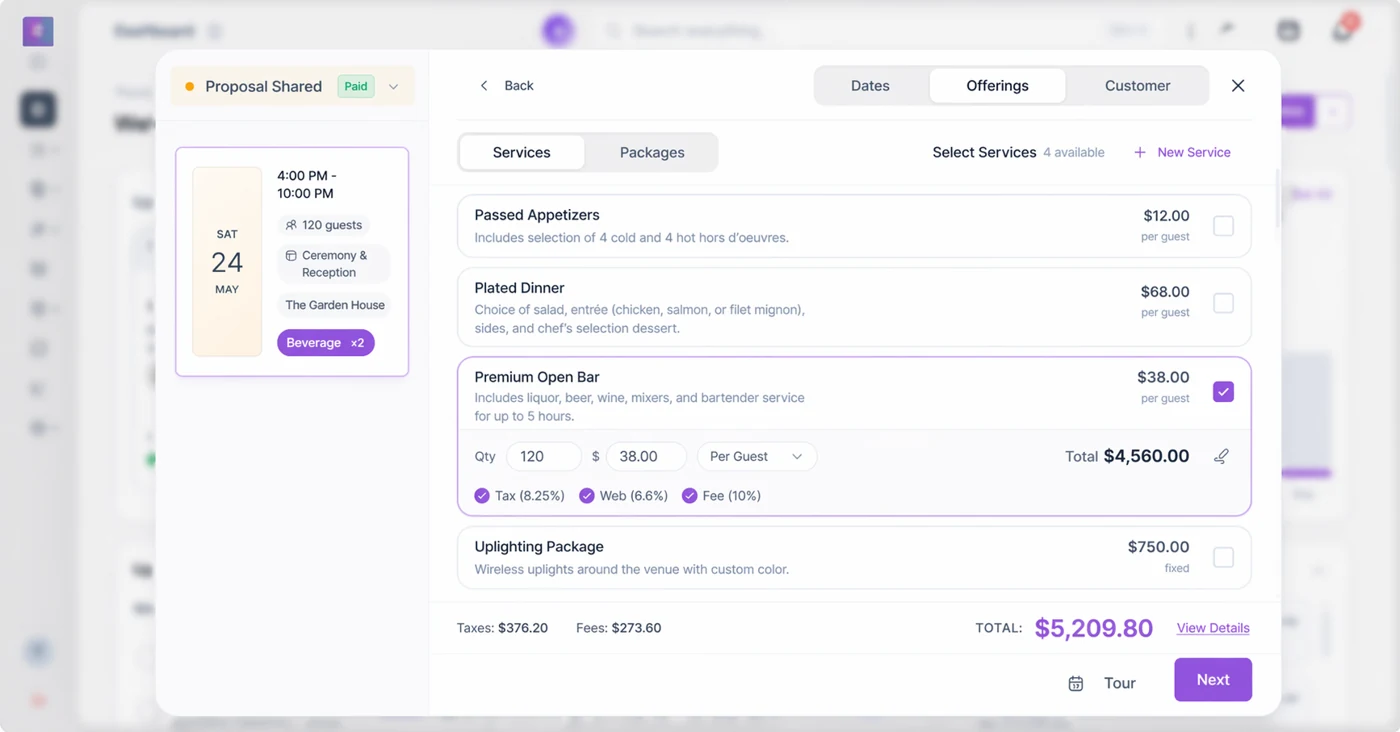
Put services and event details into a client-facing offer. Review the proposal and contract workflow with a real example from your business.
Check payment status alongside the booking so the next step is visible. Confirm available payment and payment tracking options for the plan you would use.
Keep the approved event information close to the client workflow. If you need room layouts, check the built-in floor planning feature and its plan requirements.
Inside Venuine
Bring a current client inquiry, your usual services, and the details you need to confirm before event day. In a walkthrough, follow the information into a proposal and check how your selected plan handles client review, payment steps, and event preparation.
Product images show sample venue data. Confirm any feature, integration, or plan limit against the workflow your business needs.
“Event planner platform” can describe very different tools. A planning firm handling client proposals has different needs from an organizer selling public tickets or coordinating large conferences. Test the steps your business actually owns.
Can you follow a client from inquiry through proposal and payment? What can clients review or complete themselves? How do event details move to the people delivering the event? Which tools and integrations are included in the plan?
If you depend on public registration, ticket sales, guest seating, vendor sourcing, detailed project timelines, or accounting integrations, ask for a live demonstration of that exact workflow before choosing a platform.
Use these answers to decide what to verify in a product walkthrough.
Yes. Venuine offers a tailored walkthrough for event planning businesses. Use it to test client inquiries, proposals, payment progress, and event details against your process, then confirm the exact features and plan requirements.
Bring a real client workflow. Test inquiry follow-up, proposal changes, contract and payment steps, client access, and how event details are shared. Confirm plan limits, integrations, and any workflow your team depends on.
This page covers client and booking workflows for planning businesses. It does not claim public event registration or ticket sales. Ask about any specialized capability your events require.
Choose “Event planning” in the demo form to discuss your business and test the parts of Venuine you need.
Request an event planner walkthrough